


Skylight Calendar is changing the way busy families manage their schedules, acting as a digital wall calendar designed for real-time syncing and high-visibility organization in kitchen and living spaces.
Key Takeaways
- Skylight Calendar offers a large, color-coded touchscreen that seamlessly syncs with Google Calendar, Apple Calendar, and other popular apps.
- It requires constant Wi-Fi, has a notable upfront cost, and its full feature set unlocks only with an annual subscription.
- Best for families needing a dedicated, always-on wall calendar display—be aware of limited offline functionality and a lack of in-depth details on privacy measures.
- What Is a Skylight Calendar and Why Families Are Using It
- How to Set Up and Maximize a Skylight Calendar
- Skylight Calendar: Common Pitfalls, Comparisons, and Real-World Issues
- Is Skylight Calendar Worth It?
- FAQ
What Is a Skylight Calendar and Why Families Are Using It
Families today are busier than ever. Keeping everyone in sync is a daily challenge—especially when paper wall calendars or phone-only reminders fall short. The Skylight Calendar addresses this gap by providing a high-visibility, touch-enabled digital wall calendar to organize events, sports, meals, and special days where everyone can see them, right where life happens.

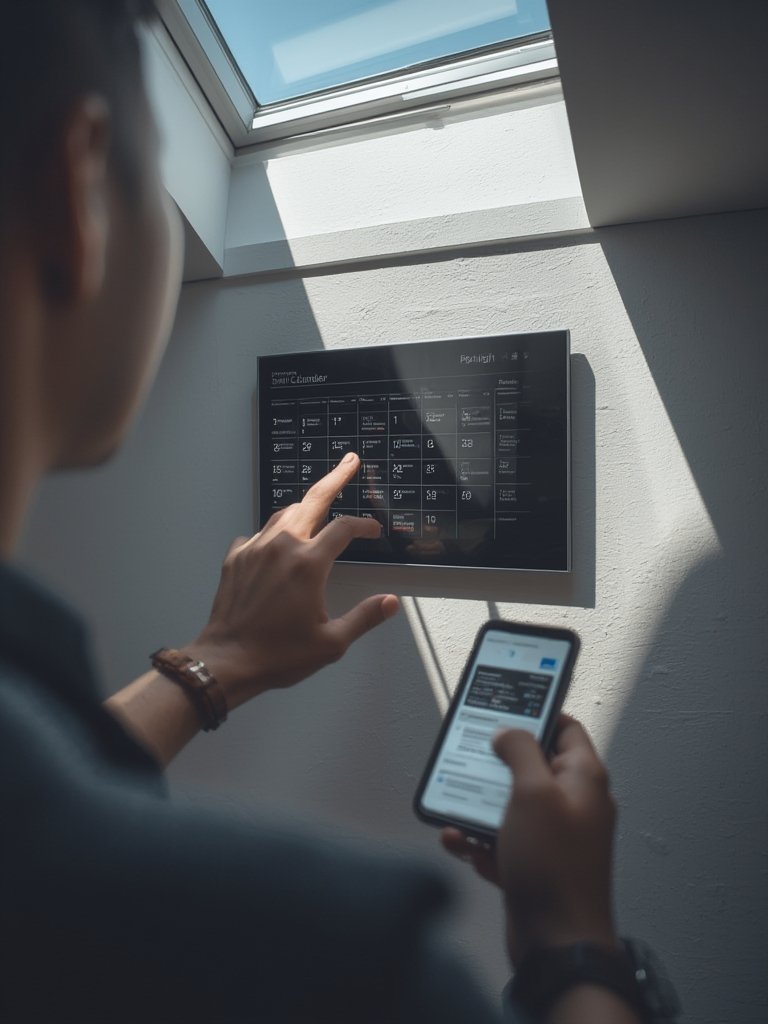
Essentially, it’s a touchscreen device (ranging from 10 to 27 inches) that mounts on the wall, connects to Wi-Fi, and displays your digitally shared schedules in real time. Events from Google, Apple, Outlook, Yahoo, and Cozi can all appear on one large, color-coded board—ideal for kitchens or entryways.
Unlike alternatives like Amazon Echo Show 15 or subscription-based Mango Display, Skylight Calendar is built purely as a family scheduling command center, not a multi-purpose smart screen. This focus means it’s simple, glanceable, and aims to be the first thing everyone checks before heading out the door.
If you want to pair your modern organizational tools with products that transform your home, explore the best RGBIC floor lamp or a wall mounted coat rack that creates more functional space around your family’s anchor points.
How to Set Up and Maximize a Skylight Calendar
Getting value from a Skylight Calendar depends on a smooth setup and daily routine tailored to your family’s specific needs. Here’s how to do it:
- Pick the right location. Choose a high-traffic area like your kitchen, mudroom, or near your home’s nearby outlet and strong Wi-Fi signal.
- Mount your device securely. The Skylight Calendar is designed for wall mounting—install it at eye level for maximum visibility and ease of touchscreen use.
- Connect to Wi-Fi and power up. Initial setup requires a stable Wi-Fi connection; without it, most features (including real-time syncing) will not work.
- Download the companion app. Use the Skylight app on your smartphone to manage calendar links, invite family members, and customize preferences—kids, parents, and even grandparents can access shared events via their phones.
- Sync your calendar sources. Skylight directly connects to Google Calendar, Apple Calendar, Outlook, Yahoo, Cozi, and more. Each family member can be color-coded to make tracking easy.
- Set recurring reminders. Add school events, practices, meal plans, and birthdays. Encourage everyone to check and contribute to the wall calendar regularly.
- Explore advanced features. Consider the Plus Plan for reward tracking, enhanced customization, or linking multiple devices.
For more kitchen upgrades that truly earn their space, check out how a smart air fryer or an affordable portable coffee grinder streamlines busy mornings and meal prep.
Finally, set aside five minutes weekly to clean up old events and color codes. This not only keeps your wall calendar uncluttered—it reinforces a family habit and keeps everyone involved.
Skylight Calendar: Common Pitfalls, Comparisons, and Real-World Issues
While the Skylight Calendar stands out for its ease of use and visual clarity, real users report specific limitations worth knowing in advance:
- High upfront cost. $199 for the 10-inch and up to $699 for a 27-inch model—not including the optional $39/year Plus Plan.
- Always requires Wi-Fi. No offline access—if your home Wi-Fi drops, you lose access to updated schedules.
- Limited direct integrations. You can’t add calendar events directly from emails; everything must be input via Google Calendar, Apple Calendar, or a linked source.
- Occasional sync delays. Although most reports cite seamless syncing, some users have experienced brief delays or issues with event updates when multiple platforms are linked.
- Lack of privacy/security information. No public details on data encryption or privacy protocols—some may not want family schedules visible to all guests in high-traffic spaces.
| Product | Screen Size | Pricing | Connectivity/Notes | Subscription Cost |
|---|---|---|---|---|
| Skylight Calendar | 10-27 inches | $199-$699 | Wi-Fi, wall mount, touchscreen | $39/year (Plus Plan) |
| Amazon Echo Show 15 | ~15 inches | ~$250 | General smart screen, not dedicated calendar | $139/year (Prime) |
| Mango Display | Software (BYO device) | $60/year | No hardware cost; works on any tablet/monitor | $60/year |
| Cozyla Calendar | Unspecified | Unspecified | Marketed as easier alternative | Unspecified |
| Tablet w/ Cozi or similar | Varies | $100-$300 (tablet) | Flexible, non-dedicated; runs free/cheap apps | $0-10/month |
For honest review sources and hands-on user examples, see The Everymom’s review and the YouTube walkthrough. Real-world comparison tables like these are often missing from superficial product roundups.
If you’re interested in other practical home upgrades, our review of the ultimate kitchen butter dish shares more ways to optimize family kitchen efficiency—one small upgrade at a time.

Is Skylight Calendar Worth It?
The Skylight Calendar makes managing family schedules visual, collaborative, and as frictionless as possible. If your goal is to keep everyone on the same page, in the same room, it outperforms multi-purpose tablets or non-dedicated smart screens for many households.
However, be clear-eyed about the cost (device plus subscription), its reliance on a stable Wi-Fi connection, and the lack of public details on how your data is secured. For families with very strong privacy needs or intermittent internet, alternatives may be more appropriate.
Ready to simplify your home’s routines with the Skylight Calendar? Explore configurations, check latest pricing, or even compare other affordable digital home solutions—small changes can dramatically improve family life. Start transforming your day-to-day scheduling now.
FAQ
Does Skylight Calendar work with Google and Apple Calendar at the same time?
Yes, you can link multiple Google, Apple, Outlook, Yahoo, Cozi, and other calendars simultaneously. Each contributor can be assigned their own color code for easy table-side viewing.
Can I use Skylight Calendar without a subscription?
You get basic syncing and display features right out of the box, but advanced tools (like reward tracking or additional widgets) require the $39/year Plus Plan subscription.
What happens if the Wi-Fi goes down?
The Skylight Calendar needs a live Wi-Fi connection for real-time syncing and updates. If Wi-Fi drops, you will see only events already loaded on the device; new events and changes will not appear until connectivity returns.
Is my family calendar data safe on Skylight?
No detailed public information on data encryption or privacy safeguards is available as of 2024, so consider your comfort level with sharing sensitive schedules on a visible wall display.
How does Skylight Calendar compare cost-wise to its competitors?
Skylight Calendar hardware starts at $199, while software solutions like Mango Display are cheaper ($60/year, bring your own device). Echo Show 15 is similar in price but lacks dedicated calendar focus and may require a Prime subscription for optimal access.